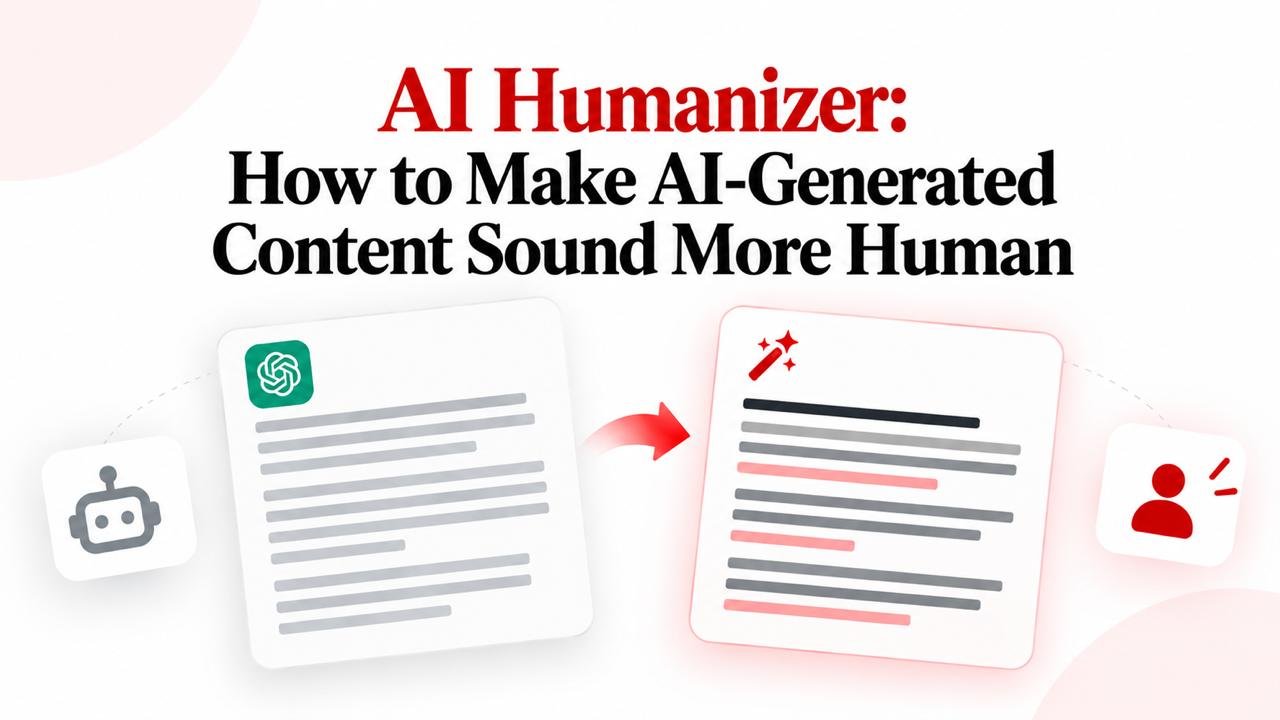
AI Humanizer: How to Make AI-Generated Content Sound More Human
Learn how an AI humanizer works, how to make AI writing sound more human, and how to convert robotic AI text into natural, engaging content.
Want to humanize your AI drafts automatically?
Transform robotic writing into fluent human copy in seconds.
Artificial intelligence writing tools have transformed content creation, enabling creators to draft content in seconds. However, raw machine output can sound repetitive, overly formal, or lacking in personal tone. When readers encounter mechanical phrasing or uniform rhythm, engagement drops.
An AI humanizer solves this problem. Rather than simply swapping words, humanizing AI content improves naturalness, readability, and flow so the text connects with real readers. Whether you edit manually or use an online tool like Magic Humanizer, this guide explains how an AI humanizer works and how to make AI-generated content sound natural and engaging.
Quick Answer: What Is an AI Humanizer?
An AI humanizer is a writing tool or editorial process that rewrites AI-generated text to make it sound natural, readable, and human-like. It improves sentence structure, varies cadence, removes robotic clichés, and adjusts tone while preserving original meaning. Tools like Magic Humanizer automate this naturalization process in seconds.
TL;DR
- An AI humanizer refines synthetic drafts into reader-focused writing.
- Raw AI content often sounds robotic due to uniform sentence lengths and stiff vocabulary.
- A 9-step workflow introduces sentence burstiness, simplifies jargon, and adds real context.
- Unlike synonym spinners, an AI text humanizer restructures clauses while preserving facts.
- Magic Humanizer offers free browser-based scans to convert AI text in seconds.
- Always perform a final human review to verify accuracy and tone before publishing.
What Is an AI Humanizer?
An AI humanizer is a writing tool engineered to analyze machine-generated text and restructure it into authentic human prose.
When generative AI tools produce content, they predict words based on mathematical token probabilities. While this produces grammatically accurate sentences, it frequently results in repetitive patterns, formal jargon, and predictable transitions. An AI humanizer addresses these statistical markers by re-engineering clause structures, balancing rhythm, and smoothing flow.
It is critical to distinguish between AI humanization and traditional synonym replacement:
- Synonym Replacement (Spinning): Swaps individual words with dictionary alternatives without understanding context, producing awkward phrasing.
- AI Humanization: Re-evaluates entire sentences to improve cadence, balance clause lengths (burstiness), remove robotic filler, and preserve factual accuracy.
Why Does AI-Generated Content Sometimes Sound Less Natural?
Not all AI-generated writing sounds robotic. High-quality prompts can yield capable drafts. However, raw AI text frequently exhibits recognizable linguistic patterns:
- Uniform Sentence Lengths: Sentences hover around 18–22 words, creating a metronomic cadence.
- Overly Formal Vocabulary: Heavy words like "utilize", "delve", and "paramount" are overused.
- Predictable Transitions: Excessive reliance on formal connectors like "Furthermore," and "In conclusion,".
- Lack of First-Hand Context: Broad statements without concrete metrics or personal perspectives.
- Excessive Explanations: Over-explaining concepts that an informed audience already understands.
- Repetitive Phrasing: Rephrasing the same central thesis across consecutive paragraphs.
Illustrative Example:
- Less Natural: "Furthermore, it is of paramount importance to acknowledge that implementing a robust strategy can significantly enhance overall operational efficiency."
- More Natural: "A clear strategy helps your team work faster and avoid daily bottlenecks."
How to Make AI-Generated Content Sound More Human
To transform synthetic AI drafts into natural, engaging prose, follow this 9-step editorial process:
Step 1: Understand the Purpose
Clarify your core objective and audience before editing. A technical guide demands precision, while an email or blog post thrives on conversational warmth.
Step 2: Remove Redundant Repetition
AI models frequently rephrase the primary thesis. Identify redundant sentences, keep the strongest phrasing, and cut the rest.
Step 3: Simplify Stiff Vocabulary
Replace academic jargon with clear, everyday English:
- Change "utilize" to "use".
- Change "delve into" to "explore".
- Change "in close proximity to" to "near".
- Change "a testament to" to "proof of".
Step 4: Vary Sentence Structure
Human writing naturally fluctuates between short, punchy statements and descriptive sentences. Introducing variety (burstiness) restores natural cadence.
Step 5: Improve Transitions
Replace mechanical connectors like "Furthermore," with conversational flow, rhetorical questions, or direct causal links.
Step 6: Add Relevant Context
Ground generic summaries in reality by adding specific examples, real-world data, and personal insights.
Step 7: Adjust the Tone
Calibrate the voice to match your channel—whether professional, conversational, educational, or marketing-focused. Use active voice and natural contractions.
Step 8: Use an AI Humanizer
When managing high-volume content, manual rewriting takes time. Using an automated tool like Magic Humanizer accelerates cadence naturalization in seconds.
Step 9: Review the Final Content
Always verify that facts, figures, proper names, and your core message remain accurate before publishing.
Want to simplify the process?
Try Magic Humanizer to transform AI-generated text into natural, readable content in seconds.
Try Magic HumanizerAI-Generated Text vs More Natural Writing
To see how an AI humanizer transforms rigid writing into natural prose, examine this realistic before-and-after example focusing on customer feedback workflows.
Before: Raw AI-Generated Text (Illustrative Example)
"In the contemporary landscape of customer experience optimization, soliciting user feedback represents a vital imperative for organizational success. Furthermore, it is essential to recognize that systematically analyzing survey data facilitates actionable enhancements across service workflows. In conclusion, by leveraging client insights, enterprises can significantly elevate customer satisfaction metrics."
After: More Natural Version (Humanized Flow)
"Listening to customer feedback is one of the fastest ways to improve your product. When you regularly review user surveys, fixing friction points in your support workflow becomes straightforward. The takeaway? Put customer suggestions into action, and loyalty will follow naturally."
What Changed?
Here is what makes the revised version significantly more engaging:
- Sentence Structure: Replaced uniform 22-word clauses with dynamic, punchy premises.
- Word Choice: Removed buzzwords like "vital imperative" in favor of plain English.
- Repetition: Removed the generic closing summary and jumped straight to an actionable takeaway.
- Flow: Eliminated stiff transitions ("Furthermore," "In conclusion,").
- Tone: Shifted from bureaucratic brochure language to direct, helpful advice.
- Readability: The passage is faster to scan and easier to remember.
What Does an AI Humanizer Change?
An AI humanizer analyzes text to refine several core linguistic elements:
- Wording & Vocabulary: Replaces repetitive clichés with natural phrasing.
- Sentence Length Variation: Injects burstiness by mixing short, medium, and longer sentences.
- Clause Flow: Smooths awkward transitions so thoughts connect organically.
- Repetition Removal: Eliminates circular phrasing and redundant claims.
- Tone Alignment: Adjusts formality to match reader expectations while preserving facts.
How to Use an AI Humanizer Online
Using an online AI humanizer is straightforward. Follow these steps:
- Prepare your AI text: Copy your draft from ChatGPT, Claude, or another assistant.
- Open the AI humanizer: Navigate to Magic Humanizer in your browser.
- Paste your text: Paste your content into the input field and check your word count.
- Start humanization: Click the Humanize Text button to initiate multi-pass processing.
- Review the output: Compare the rewritten version side-by-side with your original draft.
- Refine nuances: Make quick edits to incorporate brand-specific insights.
- Copy and publish: Transfer your natural content to your publishing platform.
How Magic Humanizer Can Help Humanize AI Content
Magic Humanizer is a web-based tool designed to help writers, marketers, and creators convert robotic AI drafts into fluent writing directly in their browser.
Verified Product Capabilities:
- Multi-Pass Linguistic Optimization: Restructures monotonous sentence patterns into dynamic human cadence.
- AI Marker Elimination: Automatically detects and removes formulaic clichés and predictable connectors.
- Factual Preservation Guardrails: Protects numbers, dates, citations, and core arguments from distortion.
- Zero Anti-Expansion Bloat: Refines drafts concisely without padding word counts with filler.
How to Use Magic Humanizer to Humanize AI Text
Follow these five simple steps using the Magic Humanizer interface:
- Open Magic Humanizer: Visit the Magic Humanizer editor.
- Paste Your Text: Insert your AI-generated copy into the input text area.
- Click Humanize Text: Trigger the automated transformation engine.
- Inspect the Output: Review how sentence cadence and vocabulary have been refined.
- Copy Your Text: Click the copy button to transfer your finished prose to your clipboard.
Humanize Your AI Text
Experience instant AI text refinement with generous free daily scans. No credit card required.
Humanize AI TextCan You Use an AI Humanizer for Free?
Yes, you can use an AI humanizer for free. Different platforms offer varied access models:
- Free AI Humanizers: Allow immediate browser processing without upfront fees.
- Freemium Platforms: Provide free daily allowances with optional paid upgrades for higher volume.
- Paid Tools: Require active monthly subscriptions for any usage.
On Magic Humanizer, free access is transparent:
- Guest Visitors: 3 free scans per day, up to 500 words per scan with no signup required.
- Free Registered Users: 5 free scans per day, up to 1,000 words per scan with a free account.
- Paid Plans: Paid tiers include Basic at ₹249/mo (15,000 words/mo, 1,000 words/scan), Pro at ₹499/mo (50,000 words/mo, 2,500 words/scan), and Unlimited at ₹999/mo (unlimited words and scans).
Explore our dedicated guide on AI Humanizer Free for more details.
AI Humanizer vs Manual Editing
Understanding the tradeoffs between manual editing and automated tools helps you plan your content workflow:
| Method | Speed | Control | Best For | Main Limitation |
|---|---|---|---|---|
| Manual editing | Slower | High | Small sections & fine nuance | Time-consuming at scale |
| AI humanizer | Fast | Medium | Large volume & quick drafts | Requires quick human check |
| Combined workflow | Fast | High | Professional publishing | Requires brief review step |
Combining automated AI humanization with a brief manual proofread provides the ideal balance of speed and editorial polish.
Who Can Use an AI Humanizer?
An AI humanizer serves diverse content creators and professionals:
- Bloggers: Remove repetitive filler, ensuring articles sound authentic to build loyal audiences.
- SEO Professionals: Refine drafts to satisfy user intent and improve dwell time. Learn more in our guide on AI Content and SEO and explore the AI Humanizer for SEO.
- Content Writers: Speed up production while maintaining rigorous standards across deliverables.
- Marketers: Adapt AI copy to match a brand voice and create emotional resonance. Explore our AI Content Humanizer.
- Students: Refine drafts to improve clarity and readability while adhering to academic integrity standards.
- Businesses: Polish website copy, documentation, and customer communications without hiring agencies.
What Can You Use an AI Humanizer For?
AI humanizers are versatile tools across everyday writing tasks:
- Blog posts: Creating natural, engaging articles that retain readers.
- Website content: Polishing landing pages, service pages, and about pages.
- SEO articles: Crafting comprehensive content designed to answer search intent.
- Marketing copy: Refining ad headlines, sales pages, and promotional offers.
- Product descriptions: Highlighting practical customer benefits clearly.
- Emails: Writing authentic newsletters and outreach messages.
- Social media content: Producing concise posts for LinkedIn and X.
- Educational explanations: Clarifying complex concepts for students and trainees.
Can You Humanize ChatGPT Text?
Yes. You can easily humanize ChatGPT text. Because ChatGPT outputs standard text, it can be pasted directly into an AI humanizer to remove formulaic transitions, vary sentence lengths, and refine tone.
For specialized deep dives, explore our complete guides on How to Humanize ChatGPT Text, AI Humanizer Free, and AI to Human Text.
Does an AI Humanizer Guarantee AI Detector Results?
No. An AI humanizer does not guarantee that content will pass every AI detector or score 100% human across all tools.
Claims of "100% undetectable AI content" are misleading because:
- Detector Inconsistency: Tools like Turnitin, GPTZero, CopyLeaks, and Originality.ai use different scoring models, often producing contradictory scores. Read our analysis on why AI detectors give different results.
- Frequent Algorithm Updates: Detection algorithms evolve constantly, causing scores to fluctuate.
- False Positives: Formal human writing is frequently misclassified as synthetic. Read our guide on what AI writing detectors measure.
The goal of humanizing AI text should always be centered on naturalness, readability, clarity, and genuine audience value.
Can Humanizing AI Text Change Its Meaning?
Yes, rewriting can alter nuance if not reviewed. Because humanization restructures sentences, you should always compare the output against your original draft.
Always verify:
- Facts & Numbers: Ensure statistics, percentages, and dates remain exact.
- Names & Entities: Verify brand names, people, and product titles.
- Technical Terminology: Check that industry-specific definitions were preserved accurately.
- Instructions & Claims: Confirm that procedural steps remain logically sound.
Best Practices for Humanizing AI-Generated Content
Follow these proven best practices when humanizing AI drafts:
- Start with accurate, well-prompted source material.
- Give your content a clear objective and audience focus.
- Eliminate throat-clearing preambles and redundant filler.
- Inject sentence burstiness by mixing short and long clauses.
- Remove repetitive arguments across consecutive sections.
- Add concrete data points, metrics, and first-hand insights.
- Review the AI-humanized output side-by-side with your original draft.
- Fact-check all important claims and figures.
- Maintain consistent brand voice across publications.
- Use AI tools as drafting assistants rather than replacements for human judgment.
Frequently Asked Questions About AI Humanizers
What is an AI humanizer?
An AI humanizer is a tool or process that rewrites AI-generated text to sound natural and conversational. It improves cadence, removes clichés, and adjusts tone while preserving original meaning.
How does an AI humanizer work?
It analyzes text patterns to detect uniform sentence lengths, restructuring clauses to inject burstiness and natural vocabulary. Learn more in how an AI humanizer works.
How do I humanize AI-generated content?
Remove repetition, simplify formal vocabulary, vary sentence lengths, add real-world context, and use Magic Humanizer for rapid cadence adjustments.
Can I use an AI humanizer for free?
Yes. Magic Humanizer provides 3 free daily scans (500 words) for guests and 5 scans daily (1,000 words) for registered users, with no credit card required.
What is the best way to make AI writing sound more human?
Combine automated sentence restructuring with human proofreading to inject personal anecdotes, verify facts, and align tone with reader expectations.
Can I humanize ChatGPT text?
Yes. ChatGPT drafts can be humanized by pasting them into Magic Humanizer to remove repetitive clichés and vary sentence lengths. See how to humanize ChatGPT text.
What is an AI text humanizer?
An AI text humanizer is a specialized tool that refines machine-generated writing into fluid human copy. Explore our AI Text Humanizer tool.
What is the difference between an AI humanizer and an AI-to-human converter?
Both refer to tools that restructure machine text into natural human writing while preserving core facts. Explore our AI to Human Text guide.
Can an AI humanizer change the original meaning?
While quality tools use semantic preservation guardrails, any structural rewrite can shift nuance. Always review the final output to confirm facts remain accurate.
Can AI humanizers guarantee that content will not be detected as AI?
No. AI detectors use probabilistic models that produce inconsistent scores. Humanization improves readability, but cannot guarantee 100% human scores. See AI Detector vs. AI Humanizer.
Is Magic Humanizer free?
Yes. Magic Humanizer offers free daily scans (3 scans/500w for guests, 5 scans/1000w for registered users), with affordable paid tiers for higher volumes.
How do I use Magic Humanizer?
Open the Magic Humanizer editor, paste your text, click "Humanize Text", review the output, and copy your finished natural text.
Final Thoughts: Making AI Content Sound More Human
Artificial intelligence writing assistants offer immense productivity gains, but raw machine drafts often lack the cadence, warmth, and contextual nuance that readers expect.
By following a structured humanization workflow—or letting Magic Humanizer handle the structural heavy lifting in seconds—you can produce clear, authentic writing that connects with your audience.
Ready to humanize your AI text?
Transform robotic drafts into fluent, natural human writing today with Magic Humanizer.
Try Magic Humanizer