AI Writing Humanizer: How to Make AI Content Sound Less Robotic?
Learn how an AI writing humanizer makes AI content sound less robotic. Discover manual editing techniques, online workflows, and editorial best practices.
Want to humanize your AI drafts automatically?
Transform robotic writing into fluent human copy in seconds.
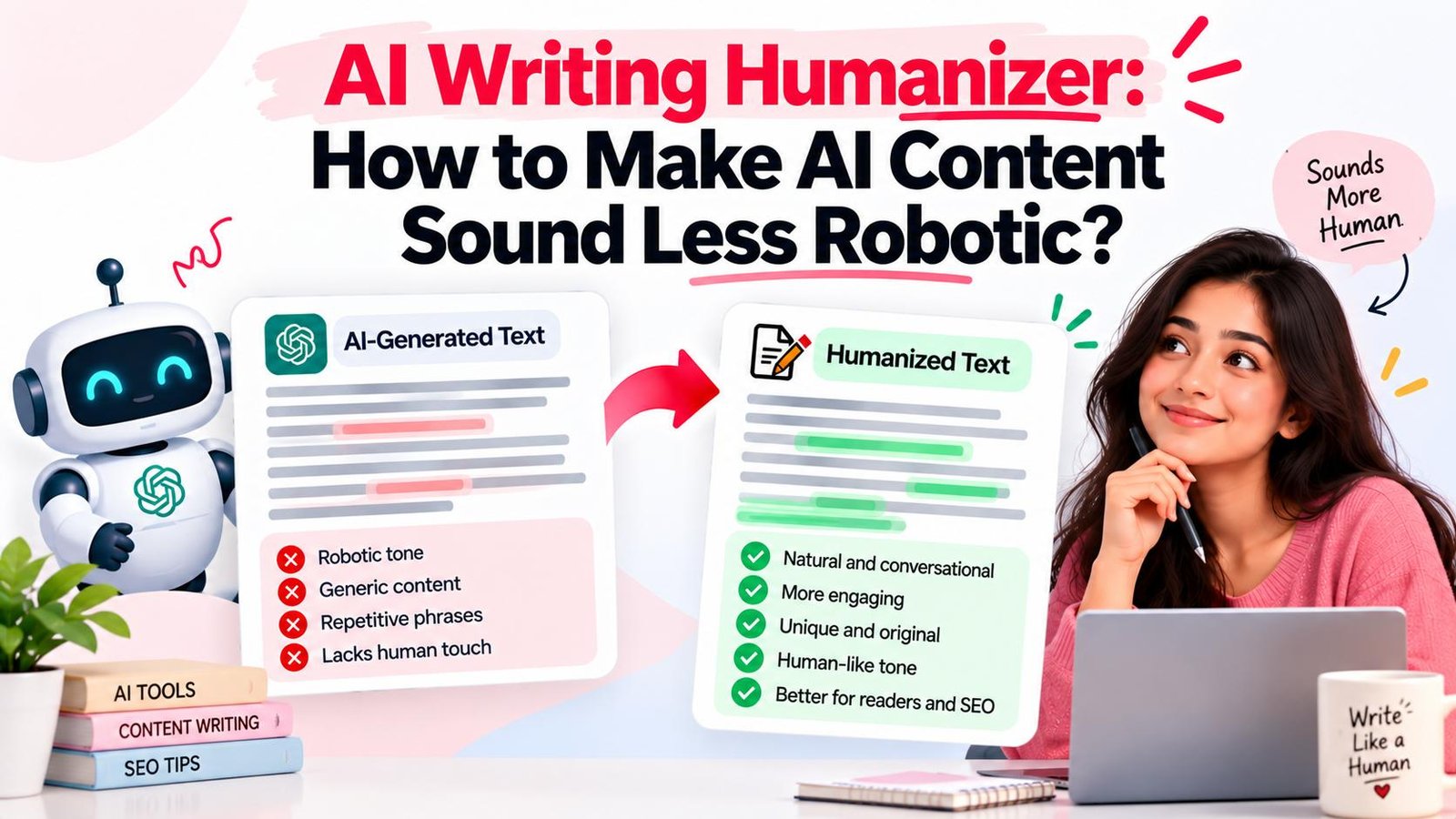
AI writing assistants help creators draft content quickly. However, raw machine drafts frequently display noticeable stylistic flaws: repetitive phrasing, uniform sentence lengths, and formulaic transitions that feel distinctly robotic.
An AI writing humanizer provides an effective solution. It refines machine drafts by adjusting phrasing, tone, and sentence cadence so that text reads like natural human prose. Making AI content "less robotic" means applying thoughtful editorial polish to improve clarity, rhythm, and engagement.
Whether editing manually or using an AI writing humanizer online such as Magic Humanizer, polishing your drafts keeps readers engaged.
Quick Answer: What Is an AI Writing Humanizer?
An AI writing humanizer is a software tool designed to rewrite AI-generated text into natural, fluent human prose. It evaluates machine drafts, detects repetitive syntax, replaces stiff phrasing with conversational vocabulary, and balances sentence cadence while preserving core factual meaning.
Unlike basic paraphrasers that only swap synonyms, a writing humanizer reorganizes clause structures and cuts synthetic filler for genuine readability.
TL;DR
- Definition: An AI writing humanizer transforms stiff machine drafts into clear, natural prose.
- The Problem: AI writing feels robotic due to predictable probability patterns and uniform sentence lengths.
- Manual Fixes: De-robotize drafts by varying sentence lengths, cutting filler, and adding real-world context.
- Automated Tool: Magic Humanizer automates structural rewriting in seconds.
- Editorial Control: Always pair automated rewriting with human fact-checking.
- Detection Realism: Focus on audience retention rather than detector bypass claims.
Why Does AI Writing Sometimes Sound Robotic?
Language models generate text by predicting probable word sequences. While grammatically accurate, this often produces flat, predictable prose devoid of personality.
Common indicators of robotic AI writing include:
- Monotonous Lengths: Sentences of nearly identical length (18–24 words), creating a hypnotic rhythm.
- Formal Buzzwords: Over-indexing on corporate jargon like "delve," "testament," "leverage," and "foster."
- Predictable Connectors: Routinely connecting paragraphs with repetitive words like "Furthermore" and "Moreover."
- Formulaic Openers: Opening with broad clichés ("In today's digital world") and ending with repetitive summaries.
- Excessive Explanations: Over-explaining simple concepts with wordy filler paragraphs.
- Generic Generalities: Relying on abstract statements rather than concrete real-world examples.
What Makes Writing Sound More Human and Natural?
Natural writing is defined by organic variety, conversational rhythm, and clear intent.
Key qualities that distinguish natural copy include:
- Sentence Burstiness: The energetic mix of short, punchy statements with descriptive clauses.
- Direct Diction: Favoring simple, everyday words over convoluted multi-syllabic synonyms.
- Conversational Tone: Writing that mirrors natural speech tailored to readers.
- Concrete Grounding: Citing real-world examples and specific metrics that build trust.
- Concise Purpose: Ruthlessly trimming redundant filler so every sentence delivers value.
- Audience Rapport: Addressing readers directly using "you" and "your" to create immediate connection.
How to Make AI Writing Sound Less Robotic Manually
Follow this practical 11-step guide to transform mechanical drafts into engaging copy:
Step 1: Read the Entire Draft
Read your complete AI draft first to evaluate flow and identify vague passages.
Step 2: Remove Repetitive Ideas
Delete redundant sentences and combine overlapping ideas into one clear point.
Step 3: Simplify Overly Formal Language
Replace bureaucratic jargon with natural terms (e.g., change "utilize methodologies" to "use methods").
Step 4: Vary Sentence Structure
Break up repetitive compound sentences. Alternate short statements with longer observations.
Step 5: Replace Generic Phrases
Replace vague claims like "this is crucial" with clear explanations of why a strategy works.
Step 6: Improve Transitions
Remove connectors like "Furthermore." Connect thoughts using logical bridges, questions, or conceptual links.
Step 7: Add Relevant Context
Inject practical context, concrete metrics, and realistic examples.
Step 8: Adjust the Tone
Tailor the voice to your audience—whether authoritative, conversational, or educational.
Step 9: Remove Filler
Cut throat-clearing intros like "It is important to remember that." Get straight to the point.
Step 10: Read It Aloud
Reading aloud reveals awkward phrasing. If you stumble mid-sentence, rewrite that passage immediately.
Step 11: Fact-Check the Content
Language models can hallucinate facts. Always verify statistics and citations before publishing.
AI Writing Humanizer Example: Before and After
These illustrative examples show how humanization reshapes mechanical AI drafts into clear writing:
Example 1: SaaS Product Description
"In the contemporary technological paradigm, utilizing automated workflow optimization software serves as an indispensable catalyst for enterprise operations. Furthermore, our platform facilitates seamless collaboration among stakeholders, driving unprecedented productivity metrics."
"Manual busywork slows modern teams down. Our workflow software automates routine tasks so your team can focus on high-impact projects. By keeping marketing, sales, and product teams aligned, you eliminate bottlenecks and finish projects faster."
Editorial Breakdown:
- Diction: Replaced corporate buzzwords with clear customer benefits.
- Cadence: Replaced two rigid sentences with three varied sentences (6 to 24 words).
- Tone: Shifted from an impersonal lecture to an empathetic, customer-focused explanation.
Example 2: Leadership & Workplace Advice Excerpt
"Effective leadership embodies a multifaceted journey requiring comprehensive emotional intelligence. Moreover, leaders must perpetually foster transparent communication conduits to ensure team members remain aligned during dynamic organizational shifts."
"Great leadership comes down to empathy and open communication. When companies go through rapid changes, managers need to be honest with their teams about what is happening and why. Regular, honest conversations build trust and keep everyone pulling together."
Editorial Breakdown:
- Clarity: Replaced abstract phrases with actionable human habits.
- Readability: Converted heavy noun phrases into active verbs.
- Flow: Removed synthetic connector "Moreover," creating smooth logical progression.
How Does an AI Writing Humanizer Work?
An online AI writing humanizer uses natural language processing models trained on human editorial patterns to refine machine drafts through eight linguistic stages:
- Syntactic Analysis: Evaluates sentence lengths and clause structures.
- Pattern Detection: Flags repetitive vocabulary and robotic transition markers.
- Semantic Preservation: Locks down core factual data, numbers, entities, and domain terms.
- Clause Restructuring: Reorganizes rigid compound sentences into natural structures.
- Vocabulary Refinement: Replaces overused AI buzzwords with conversational phrasing.
- Cadence Balancing: Injects burstiness by alternating brief statements with descriptive clauses.
- Output Generation: Compiles the refined text into a polished output.
- Human Review: The writer performs a final check to verify brand voice and factual accuracy.
Learn more in our guide on AI text humanizers.
AI Writing Humanizer vs Manual Editing
Choosing between manual editing and an automated humanizer depends on your project volume and timeline:
| Factor | Manual Editing | AI Writing Humanizer |
|---|---|---|
| Speed | Slow (20–35 mins per 1,000 words) | Instant (5–15 seconds per scan) |
| Effort | High mental focus & manual rewriting | Minimal (one click + quick review) |
| Control | Complete control over every word choice | High structural flow; fine-tuning via post-edit |
| Consistency | Varies with fatigue across long documents | Consistently high readability across large batches |
| Best For | Personal essays & opinion columns | Publishing workflows, blogs, marketing, & emails |
Most creators adopt a hybrid workflow: an online tool handles structural rewriting in seconds, followed by quick personal editorial polish.
AI Writing Humanizer vs AI Paraphraser
While both modify text, their underlying mechanics differ significantly:
- Core Purpose: Paraphrasers swap words with synonyms. Humanizers focus on readability, cadence, and flow.
- Sentence Restructuring: Paraphrasers keep original syntax. Humanizers dismantle rigid sentence patterns and rebuild them organically.
- Contextual Coherence: Thesaurus substitutions often create awkward phrasing. Humanizers evaluate paragraph context to ensure natural transitions.
- Readability: Paraphrasers often make writing more complex. Humanizers actively simplify bloated sentences into clear prose.
Read our guide on AI humanizers vs paraphrasing tools.
How to Make AI Writing Less Robotic Online
Follow these nine practical steps to refine your drafts with an online writing humanizer:
- Prepare Draft: Generate your draft using ChatGPT, Claude, or Gemini.
- Open Tool: Navigate to Magic Humanizer.
- Input Text: Paste your raw draft into the editor textarea.
- Start Process: Click "Humanize Content" to begin rewriting.
- Review Output: Read the output panel to assess natural flow.
- Compare Drafts: Check the revised text against your source draft.
- Verify Voice: Confirm tone matches your target audience.
- Fact-Check: Double-check names, statistics, and dates.
- Export & Publish: Copy the polished text into your CMS or email platform.
Magic Humanizer: AI Writing Humanizer
Magic Humanizer is a web-based AI writing humanizer engineered to make machine drafts sound natural, fluent, and engaging. Built for content creators, marketers, agency teams, and business professionals, Magic Humanizer eliminates robotic phrasing while preserving factual substance.
Key capabilities include:
- Smart Restructuring: Reorganizes stiff clauses into dynamic sentence patterns.
- Meaning Preservation: Strict protocols protect facts, numbers, and bullet formatting.
- Fast Workspace: Clean browser editor that delivers refined drafts in seconds.
- Transparent Pricing: Simple monthly plans in INR (₹) for writers and publishing teams.
If you have an AI draft that feels mechanical, try Magic Humanizer free to experience instant rewriting.
How to Use Magic Humanizer to Make AI Writing Sound More Natural
Refining your writing with Magic Humanizer takes four intuitive steps:
- Paste Text: Copy your AI draft and paste it into the editor on Magic Humanizer.
- Click Humanize Content: Click the red "Humanize Content" button to start processing.
- Inspect Output: Review the restructured text in the output panel.
- Copy and Polish: Click "Copy" to grab your refined draft, give it a quick proofread, and publish.
Ready to eliminate robotic phrasing? Humanize your AI text with Magic Humanizer now.
Are There Free AI Writing Humanizers?
When evaluating free AI humanizers, verify daily scan allowances, per-request word limits, and upgrade options.
Magic Humanizer provides accessible free options:
- Guest Free Tier: 3 scans per day, up to 500 words per request, no signup required.
- Registered Free Tier: 5 scans per day, up to 1,000 words per request.
For creators requiring higher allowances, monthly plans are billed in INR (₹):
- Basic Plan (₹249/month): 15,000 words/mo, 1,000 words/request.
- Pro Plan (₹499/month): 50,000 words/mo, 2,500 words/request.
- Unlimited Plan (₹999/month): Unlimited words/mo and per request with priority processing.
Explore details on the Pricing page or read our guide on free AI humanizers.
Who Can Use an AI Writing Humanizer?
An AI writing humanizer benefits anyone who uses AI assistants to draft content:
- Bloggers & Creators: Craft engaging articles that retain reader attention.
- SEO Specialists: Publish high-retention content that satisfies search intent. Read AI content and SEO.
- Copywriters & Marketers: Convert stiff AI copy into persuasive sales messages.
- Business Professionals: Polish memos, proposals, and reports into clear correspondence.
- Agencies & Publishers: Scale content production efficiently without sacrificing brand voice.
- Students & Researchers: Refine notes and explanatory drafts for clarity in ethical academic contexts.
What Types of AI Writing Can Be Humanized?
Magic Humanizer supports diverse written formats across multiple industries:
- Long-Form Articles: Educational blog posts, tutorials, and guides.
- Website Copy: Homepage hero sections, feature descriptions, and about pages.
- Email Outreach: B2B sales outreach, onboarding sequences, and newsletters.
- Social Media Captions: LinkedIn thought leadership posts and Twitter threads.
- E-Commerce Descriptions: Benefit-driven product overviews.
- Video & Podcast Scripts: Speaking scripts that sound natural when read aloud.
Discover more workflows in our guide on how to humanize AI content.
Can an AI Writing Humanizer Change the Meaning?
Because humanizers reorganize clauses, subtle shifts in emphasis can occur if drafts are left unreviewed.
To maintain complete semantic accuracy:
- Preserve Terminology: Verify industry-specific acronyms and technical definitions.
- Check Numbers & Data: Review statistics, percentages, and dates to confirm accuracy.
- Verify Logical Flow: Ensure revised arguments support your initial thesis seamlessly.
- Seek Expert Review: For medical, legal, financial, or technical content, always conduct domain-expert review before publication.
Magic Humanizer features strict factual preservation rules, but a brief human editorial check remains essential.
Does Making AI Writing Less Robotic Guarantee It Will Pass AI Detectors?
AI detectors rely on statistical heuristics—perplexity and burstiness—to evaluate text. Because these tools calculate probabilistic estimates rather than definitive proof, scores fluctuate across platforms and document lengths. False positives are common.
Humanizing your copy introduces natural sentence variation and conversational vocabulary. However, no software can guarantee a 100% bypass across all detectors.
The primary goal of using an AI writing humanizer should always be creating clear, engaging, and valuable content for human readers. When content delivers genuine utility and reads effortlessly, it succeeds with both audiences and search engines. For more insights, read why AI detectors give different results.
Best Practices for Making AI Content Sound Less Robotic
Implement these ten practical rules to ensure your AI-assisted writing consistently achieves high editorial quality:
- Focus on Reader Intent: Clarify the exact problem your article solves before writing.
- Eliminate Buzzwords: Cut synthetic filler words like "delve," "leverage," and "holistic."
- Vary Sentence Rhythms: Alternate short 5-word statements with longer explanatory clauses.
- Use Active Voice: Replace passive constructions with direct, energetic phrasing.
- Incorporate Real Examples: Ground abstract concepts with concrete case studies.
- Speak Directly to Readers: Use second-person pronouns ("you," "your") to build rapport.
- Maintain Consistent Tone: Ensure voice and formality remain steady throughout.
- Trim Throat-Clearing Intros: Delete introductory filler and deliver immediate answers.
- Verify All Facts: Check every statistic and date against primary sources.
- Read Drafts Aloud: Conduct a final vocal read-through to catch awkward phrasing.
Frequently Asked Questions
What is an AI writing humanizer?
An AI writing humanizer is an online tool that restructures AI-generated text to improve cadence, simplify phrasing, and remove robotic patterns.
How do I make AI writing sound less robotic?
Vary sentence lengths, eliminate corporate buzzwords, add concrete examples, and read copy aloud to catch unnatural rhythms.
How can I humanize AI-generated writing?
Edit drafts manually for rhythm and tone, or use Magic Humanizer to handle structural revisions in seconds.
Is there a free AI writing humanizer?
Yes. Magic Humanizer offers a free guest tier with 3 scans per day (up to 500 words per scan) and a registered free tier with 5 scans per day (up to 1,000 words per scan).
What is the difference between an AI humanizer and a paraphraser?
Paraphrasers swap words with synonyms. Humanizers evaluate paragraph flow, restructuring clauses and varying cadence for natural readability.
Can an AI writing humanizer preserve the original meaning?
Yes. Magic Humanizer uses strict preservation controls to protect facts, numbers, and arguments while refining syntax.
Can I humanize long AI-generated writing?
Yes. Magic Humanizer supports up to 1,000 words on Free Registered and Basic, 2,500 words on Pro, and unlimited words on Unlimited plans.
Can an AI humanizer change the tone of my writing?
Yes. An AI humanizer refines rigid or robotic drafts into conversational writing suitable for blogs, emails, and marketing copy.
Does humanizing AI writing guarantee that AI detectors will not detect it?
No tool guarantees a 100% bypass across all detectors due to statistical variations. Humanization focuses on clarity and reader value.
How do I use Magic Humanizer?
Go to Magic Humanizer, paste your text, click "Humanize Content", review the result, and copy the polished draft.
Final Thoughts
Artificial intelligence accelerates drafting, but unedited machine text often lacks the rhythm and nuance of human writing. Making AI content sound less robotic requires a focus on sentence variety, clear diction, and genuine reader connection.
By combining smart automated restructuring with attentive human editorial review, you can publish high volumes of content without sacrificing quality or brand trust.
Ready to transform your robotic drafts into natural, engaging prose? Start humanizing your writing with Magic Humanizer today.